Community Map
Add a Community Map pin
Add a community asset at an exact position on the map.
Last reviewed: 14 September 2026
Follow these steps
From the left menu, select Map.
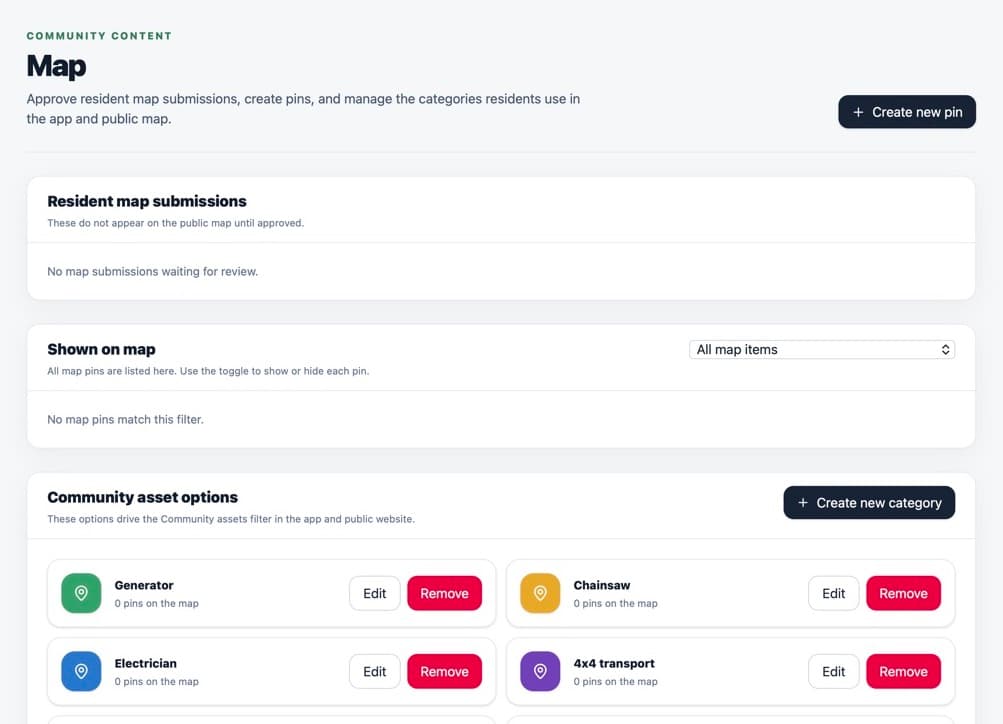
The Map page lists existing pins and map settings. Select Create new pin.
Enter the place or asset Name.
Choose the correct Category.
Use the map picker to move to the right area.
Select the exact position where the pin should appear.
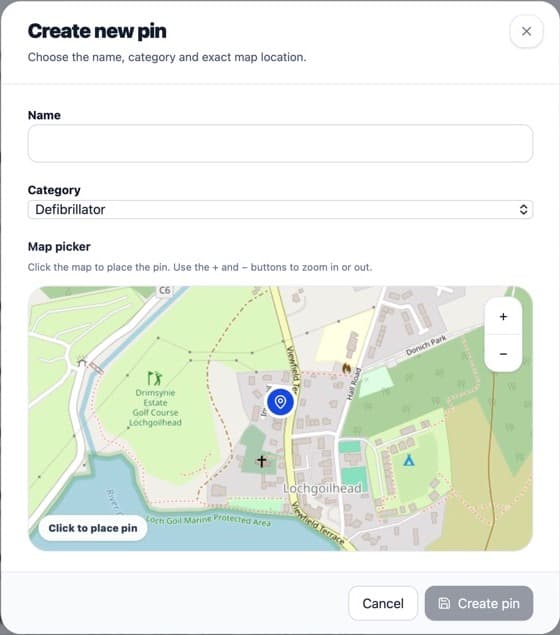
Click the map to place the blue marker accurately. Select Create pin.
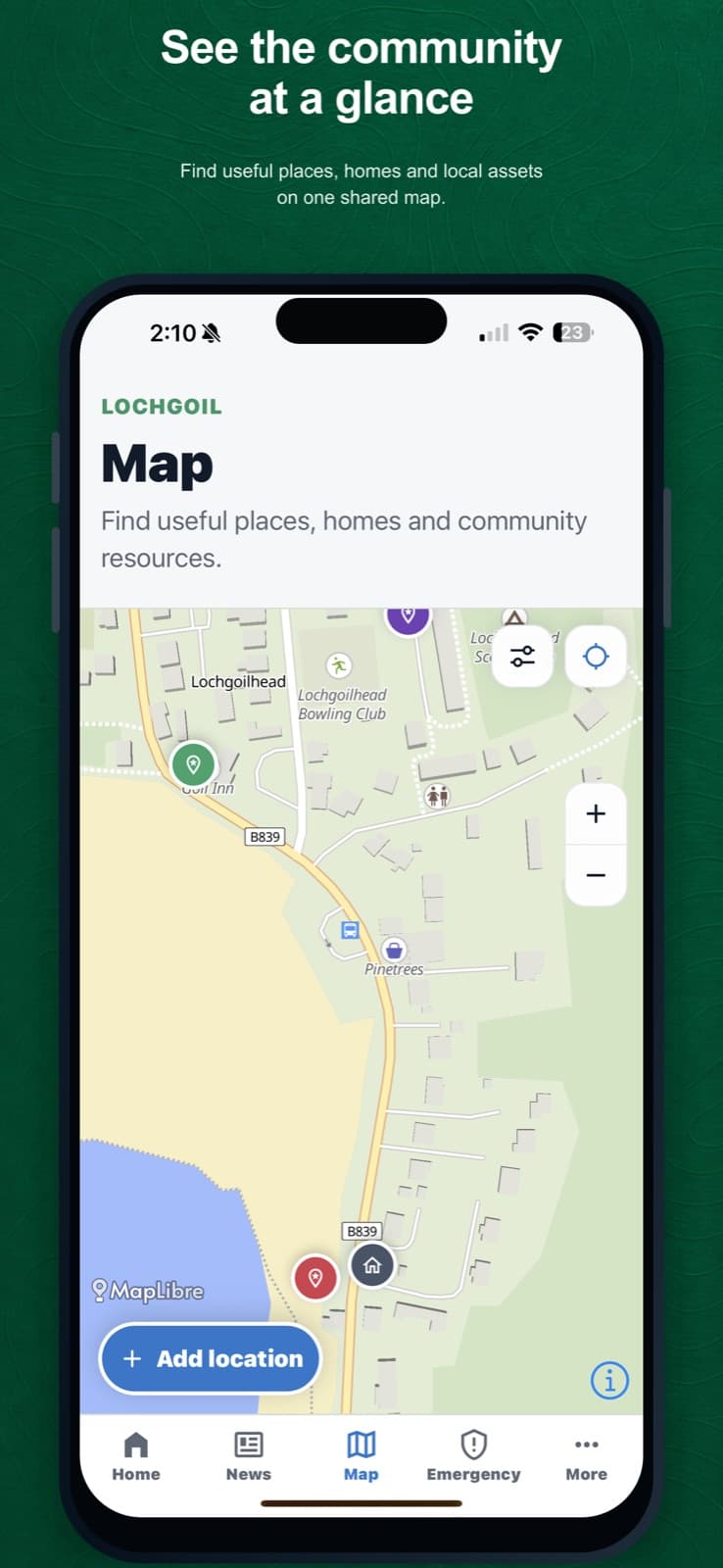
Published pins appear on the resident map.
What happens next
The pin appears in the portal and, when published, on the app and community website map. The mobile app keeps previously stored map information for offline use.
Was this helpful?