Community Map
Manage Community Map categories
Create, rename or remove the categories used for community asset pins.
Last reviewed: 14 September 2026
Follow these steps
From the left menu, select Map.
Open the community asset category controls.
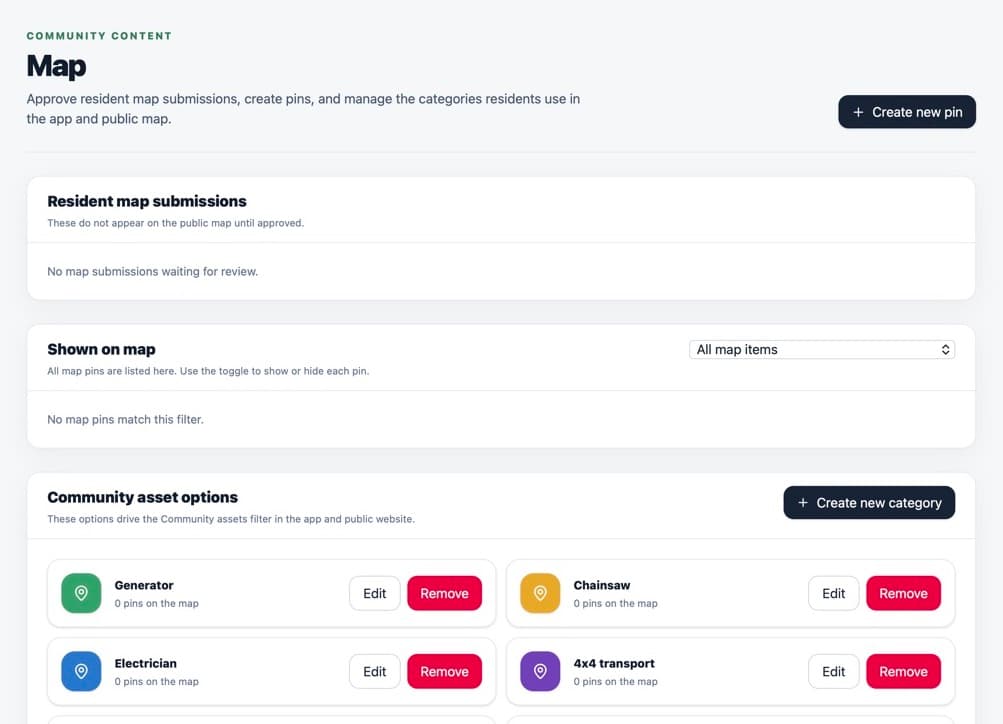
Categories control how community asset pins are grouped and labelled. Create a category with a short name residents will understand, such as Defibrillator or Warm Space.
Edit a category if its wording needs to change.
Remove a category only when it is not used by any pin.
What happens next
The category becomes available when an administrator creates a map pin. Existing public pins use the updated category name.
Was this helpful?