Users & Permissions
Add an Admin or Contributor
Create a portal user and share the secure password setup link with them.
Last reviewed: 30 August 2026
Follow these steps
From the left menu, select Users.
Select Add user.
Choose Admin or Contributor in Role.
Enter the person’s email address.
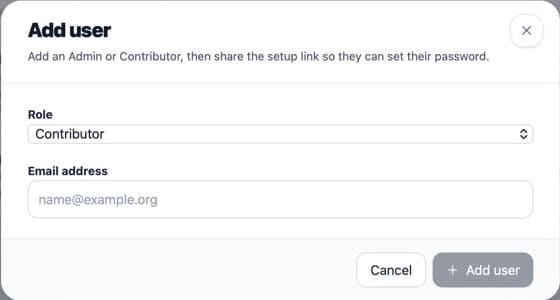
Choose the person’s role and use their own email address. Select Add user.
Copy the password setup link shown by the portal and share it privately with that person.
Open the new user and set their access privileges before they begin work.
What happens next
The person uses the setup link to choose a password. Their menu contains only the product areas you allow.
If something is not right
- An email address cannot be used for a second community account if it is already registered.
- The current form creates Admin or Contributor accounts. Community Admin access is managed separately.
Was this helpful?