Events
Create an event
Publish a dated community activity with a venue, image and description.
Follow these steps
From the left menu, select Events.
Select Create event.
Enter the event Title and Venue.
Choose the event date and start time.
Choose Repeat, beside Date and time, if this is a regular event.
Add a background image and write the event details.
Choose the tile icon, colour and overlay darkness so the wording is easy to read.
Open Additional Settings at the bottom to choose a Local Group, assign an Event Owner, or Keep visible after it ends.
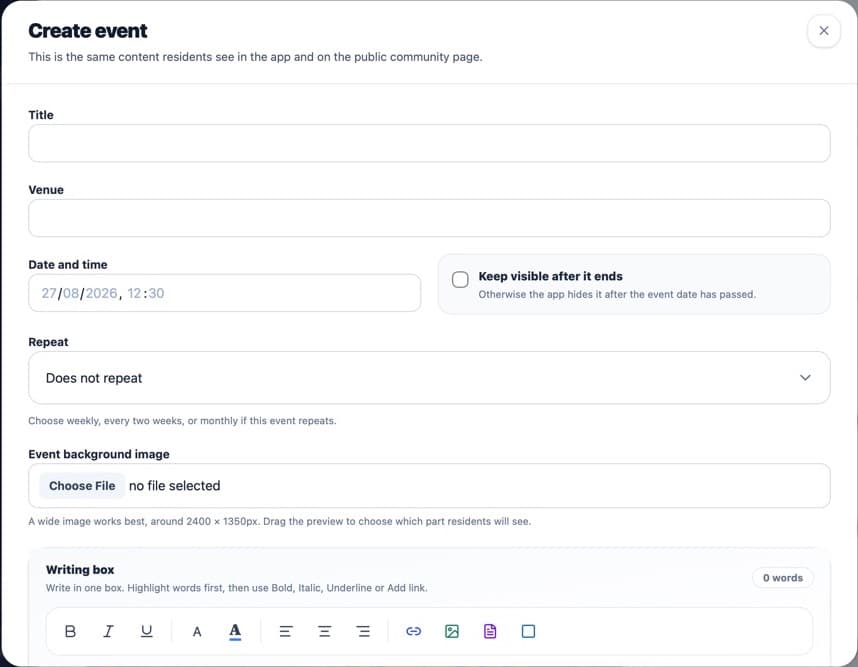
Complete the date and venue carefully. The preview shows how the event tile will look. Select Save.
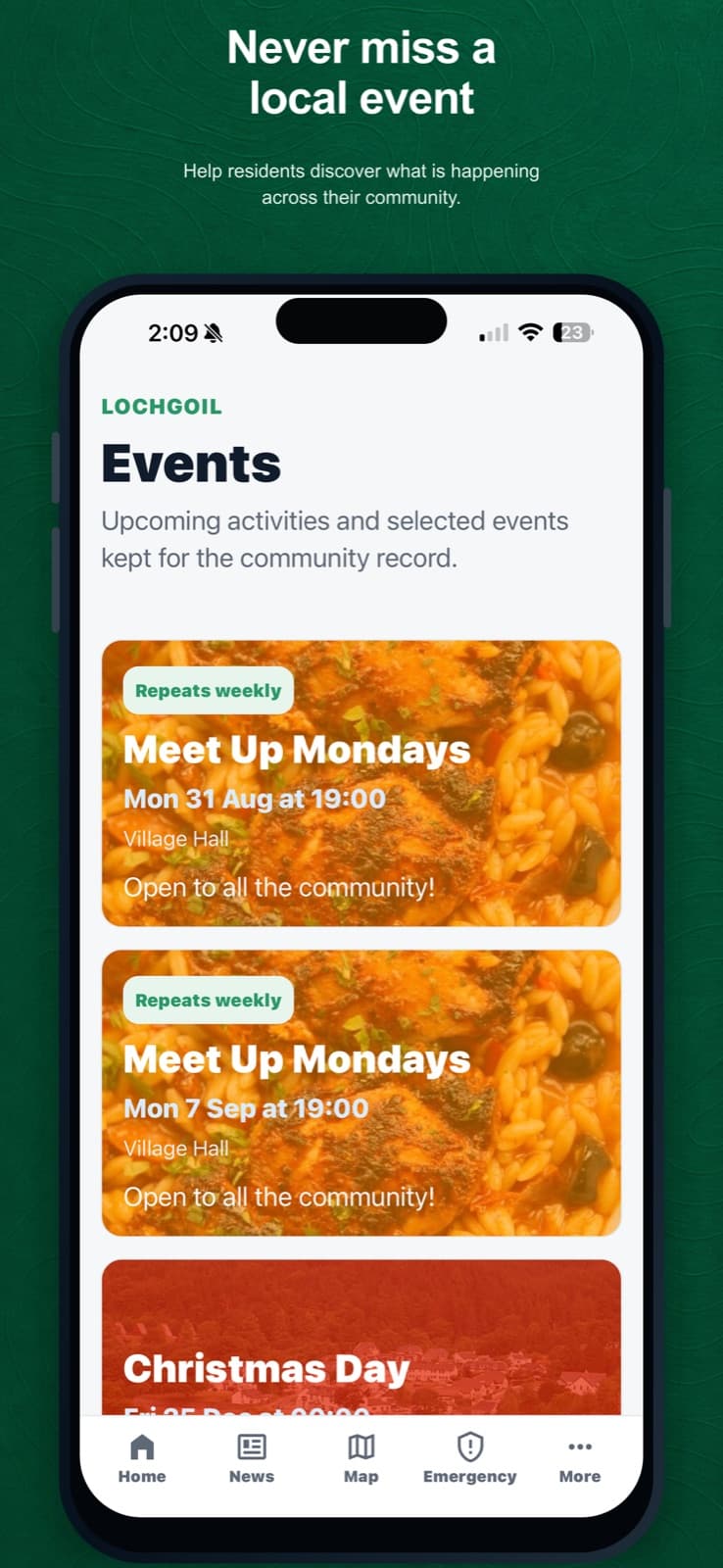
Published events appear as cards in the resident app.
What happens next
The event is published when created. Unless it is kept visible, it is hidden after its date. A repeating event shows every date within the next 13 weeks in Events. This window moves forward automatically. Deleted dates are skipped.
Was this helpful?