Alerts
Create an alert
Publish a short important message from the Community Ready Admin Portal.
Last reviewed: 14 September 2026
Follow these steps
From the left menu, select Alerts.
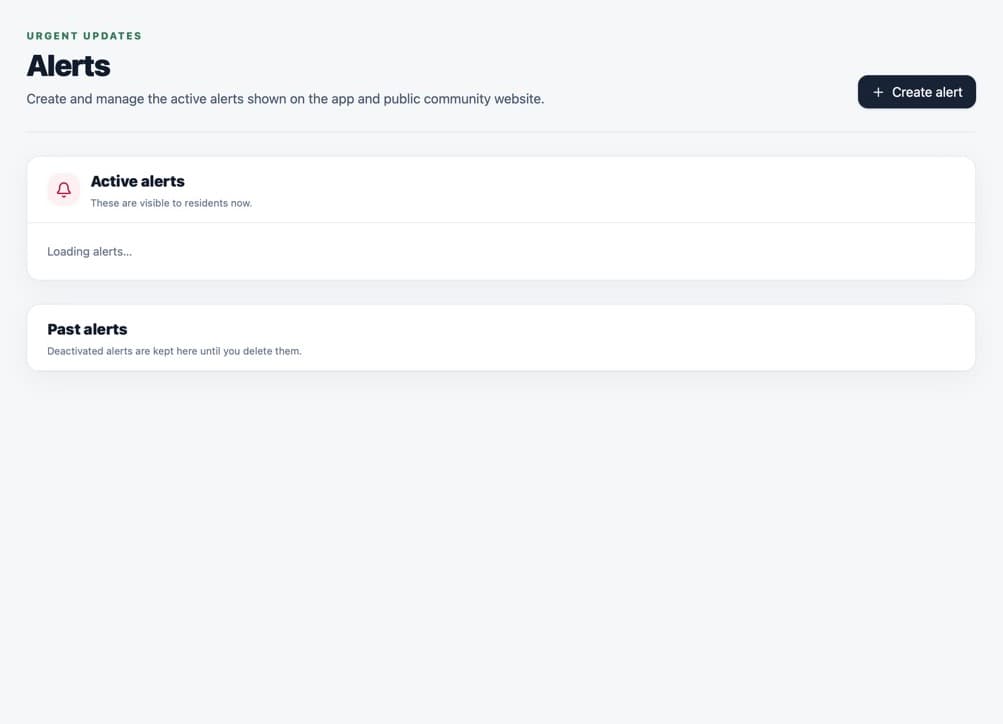
Open Alerts and use the create button in the top-right. Select Create alert in the top-right corner.
Enter a short heading in Title.
Write the information residents need in Text.
Decide whether to select Push this as a phone notification.
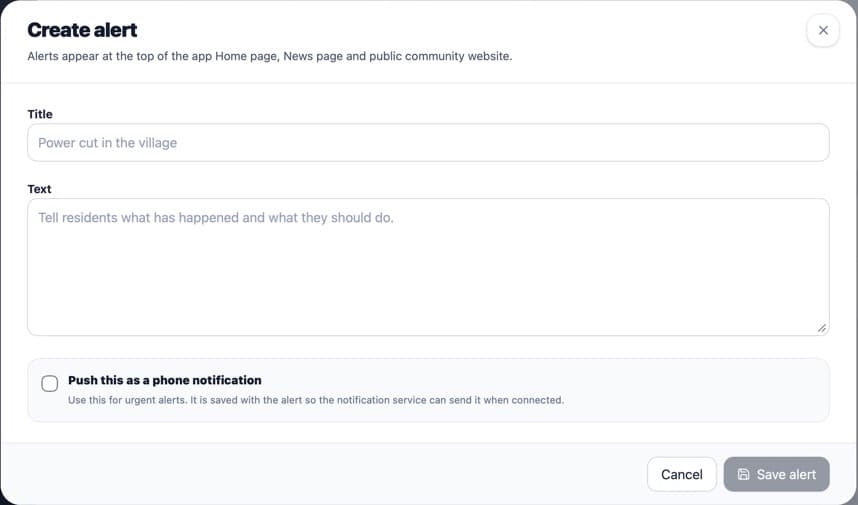
Write a clear title and message. Phone notifications are optional. Select Create alert.
What happens next
The alert becomes Active immediately. It appears in the resident app and on the community website. If selected, a phone notification is sent to eligible devices with an internet connection.
If something is not right
- There is no scheduling or audience selector in the current alert form.
- Only a Community Admin can open Alerts.
Was this helpful?