Alerts
Send a phone notification with an alert
Choose whether a new alert should also notify residents on their phones.
Last reviewed: 14 September 2026
Follow these steps
Start a new alert and complete Title and Text.
Select Push this as a phone notification if the message should appear as a phone notification.
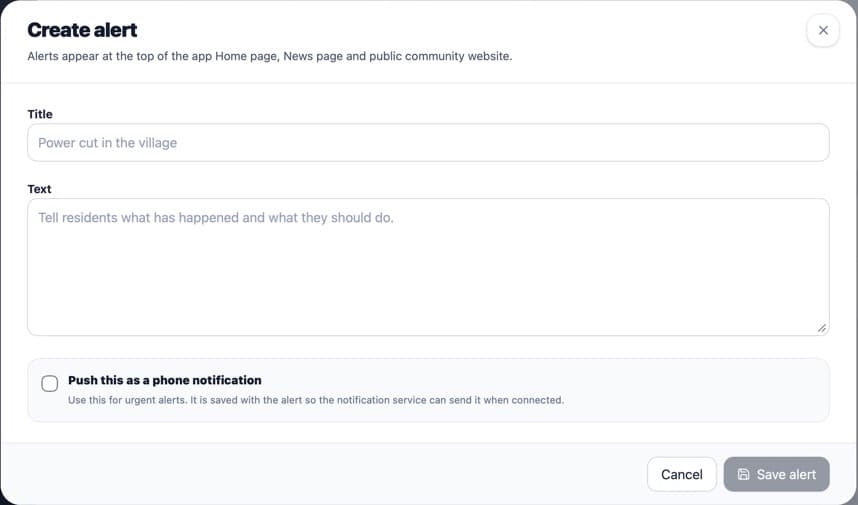
Select the notification option before creating the alert. Read the alert again before sending it. The notification is sent when the alert is created.
Select Create alert.
What happens next
Residents need an internet connection and notifications enabled on their device to receive the phone notification. The active alert itself also appears in the app and on the public website.
Was this helpful?