News
Create and publish a news item
Add a trusted local update with a title, publishing body, image and written content.
Last reviewed: 14 September 2026
Follow these steps
From the left menu, select News.
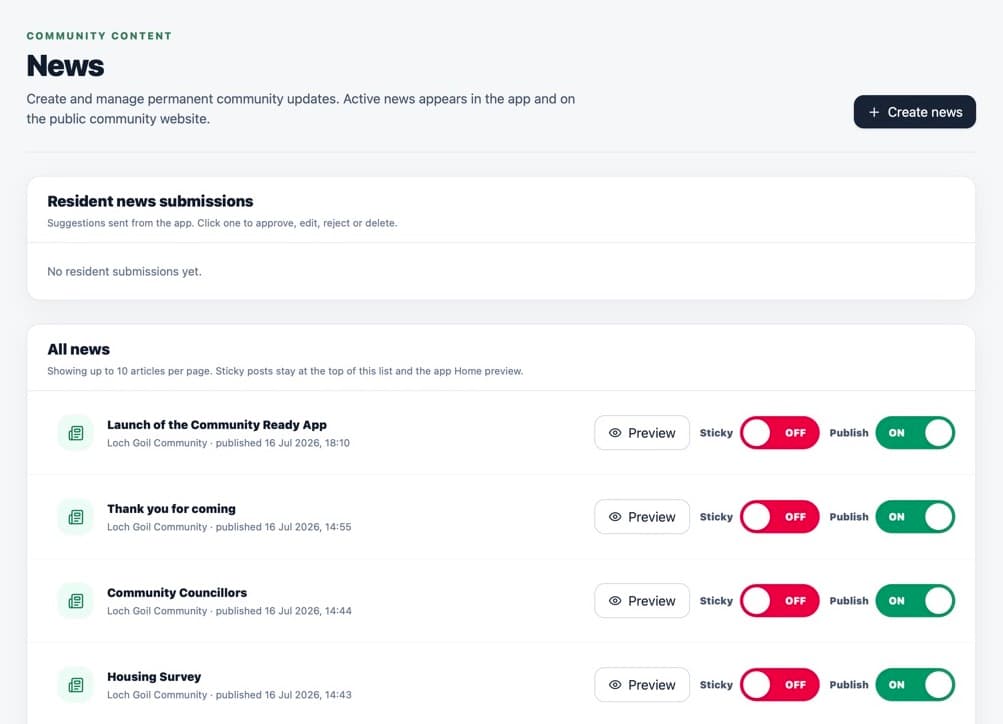
The News page lists current items and resident suggestions. Select Create news item.
Enter the Title.
Choose the correct Publishing body.
Add a News image if one is available.
Write the full update in the writing box.
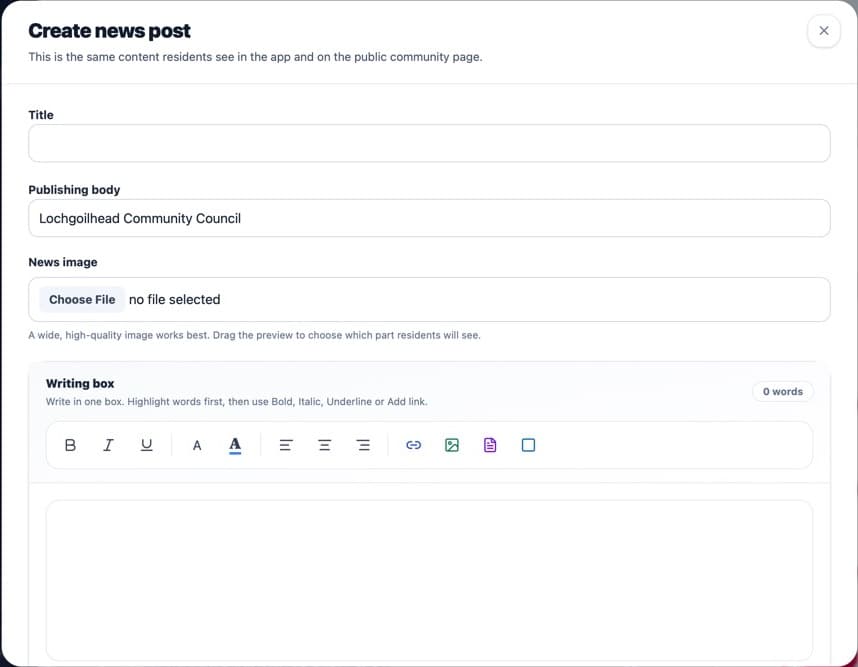
Choose the body responsible for the update before publishing. Select Create news.
What happens next
The item is published when it is created. It appears in News in the app and on the community website. The short summary is taken from the beginning of the written content.
If something is not right
- There is no draft or scheduling control in the current form.
- If the required publishing body is missing, ask a Community Admin to check Local Bodies.
Was this helpful?