Emergency Plan
Create or update an Emergency Plan page
Publish practical local guidance that the app saves for use without an internet connection.
Last reviewed: 14 September 2026
Follow these steps
From the left menu, select Emergency.
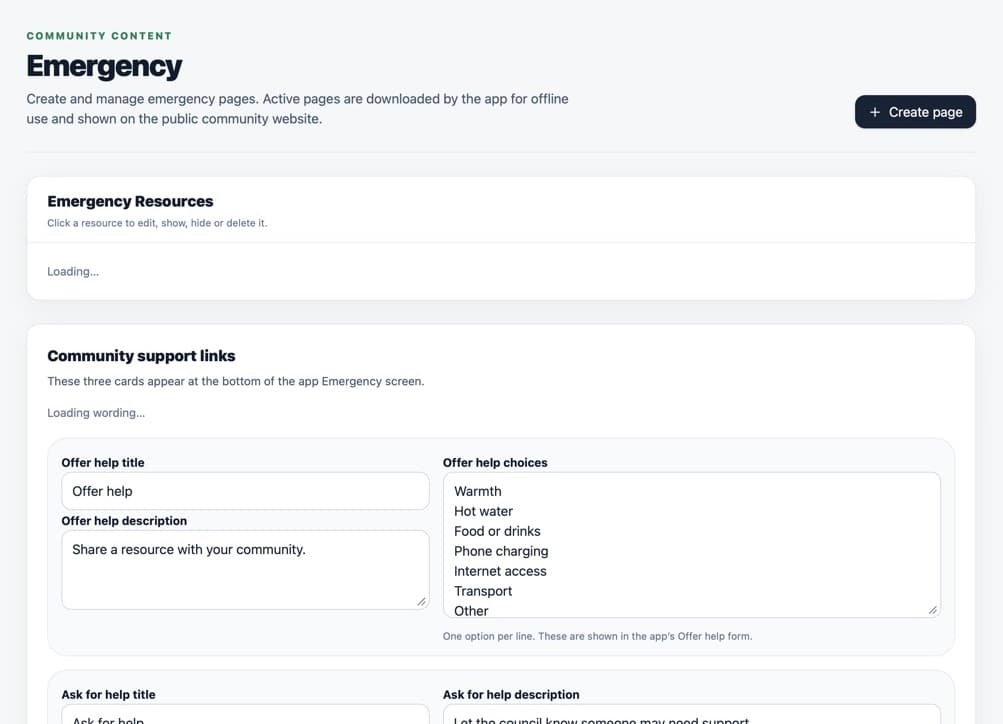
Active Emergency pages are the guidance residents can open and save. Select Create emergency page, or select an existing page to update it.
Enter a clear Title.
Write a Short summary of no more than 150 characters.
Choose an icon and accent colour.
Write the local guidance in the writing box.
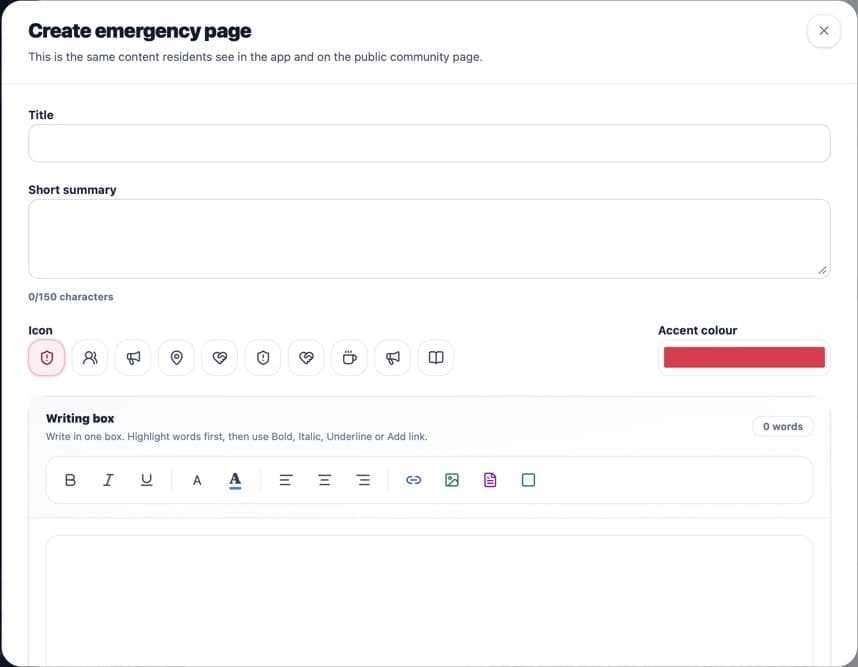
Use short, literal wording that will still be useful during disruption. Save the page and make sure it is Published.
In Emergency Resources, use the up and down arrows to place the pages in the order residents should see them. The top published page appears first.
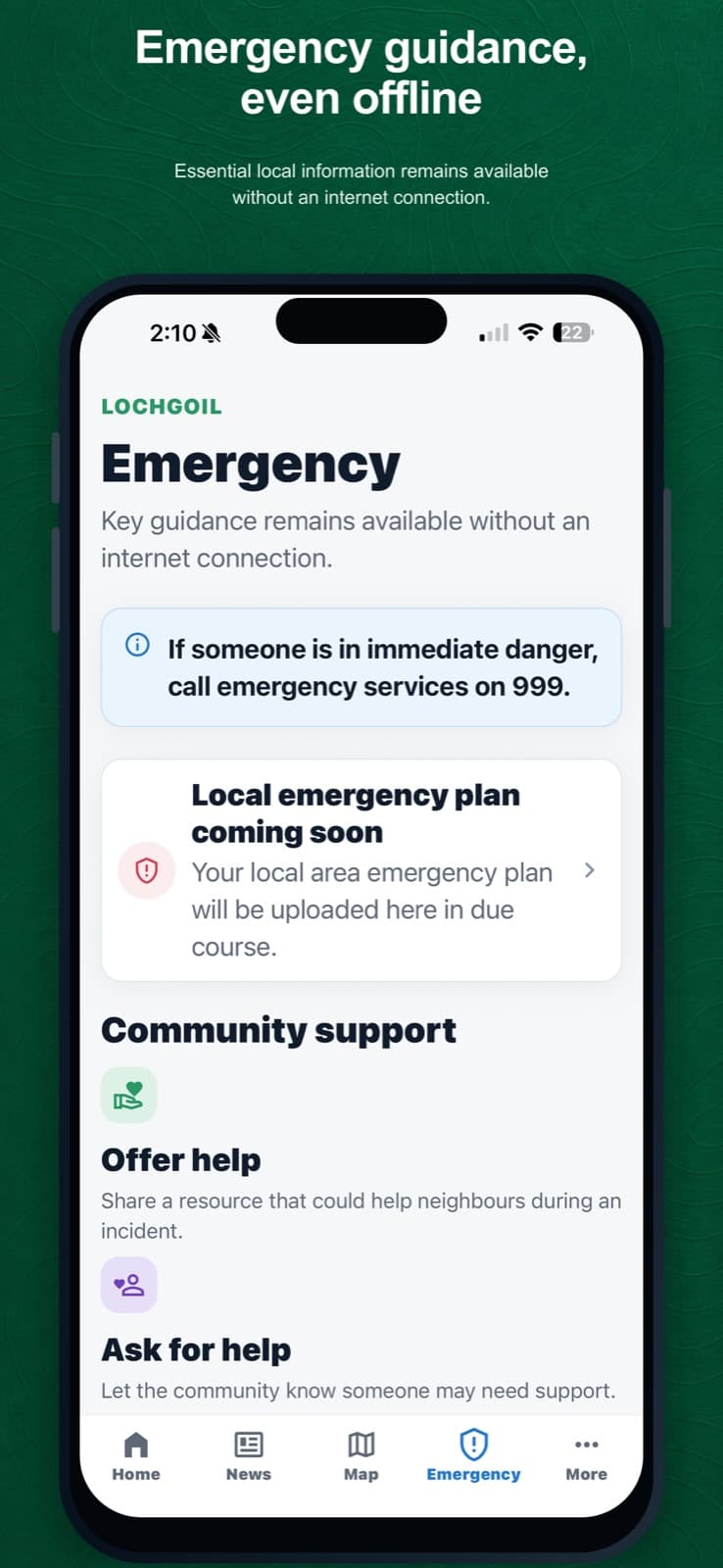
Published guidance appears in the Emergency area of the app in the order set by administrators.
What happens next
Published Emergency pages appear in the app and public community website. The app saves the latest downloaded Emergency content on the device for offline use.
Was this helpful?