Emergency Plan
Change Emergency support wording
Switch help services on or off and update the wording, options and checklist used in Community Support.
Follow these steps
From the left menu, select Emergency.
Open Community support links.
Before enabling Ask for help, confirm the community safeguarding lead, authorised reviewers, local escalation route, lawful basis and retention period.
Community Admins can switch Provide / offer help and Ask for help on or off independently. Switching one off hides its app card and stops new submissions of that type.
Review the Offer help title, description and resource choices.
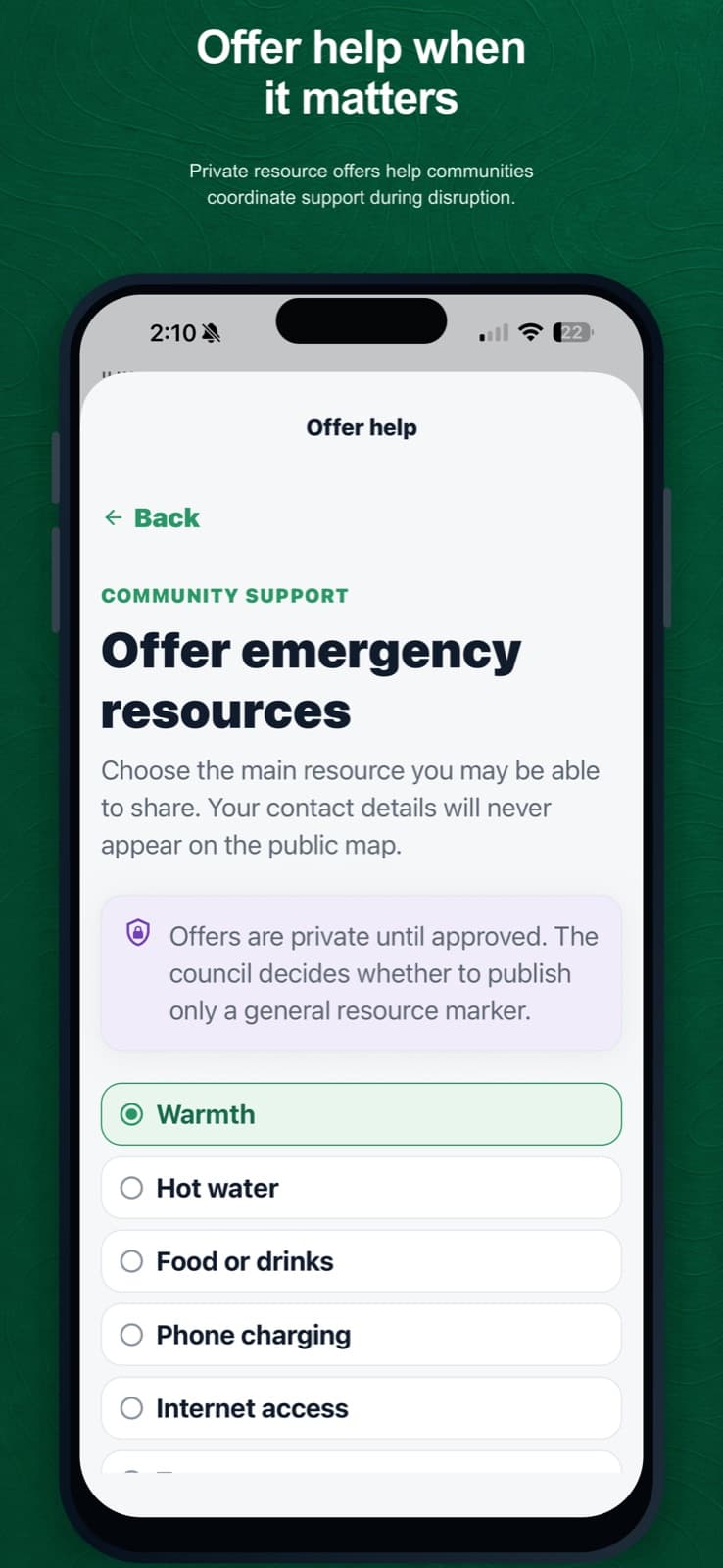
Residents use the wording and choices maintained in Emergency settings. Review the Ask for help title and description.
Review the emergency checklist title, description and items.
Save the changes.
Under Settings, open Help form delivery and confirm the monitored email address that receives both completed forms.
What happens next
The updated availability and wording appear when the app next loads current information. Completed help forms are emailed to the saved delivery address and are not retained in the portal submission database.
Was this helpful?